Turning commercial data into field decisions.
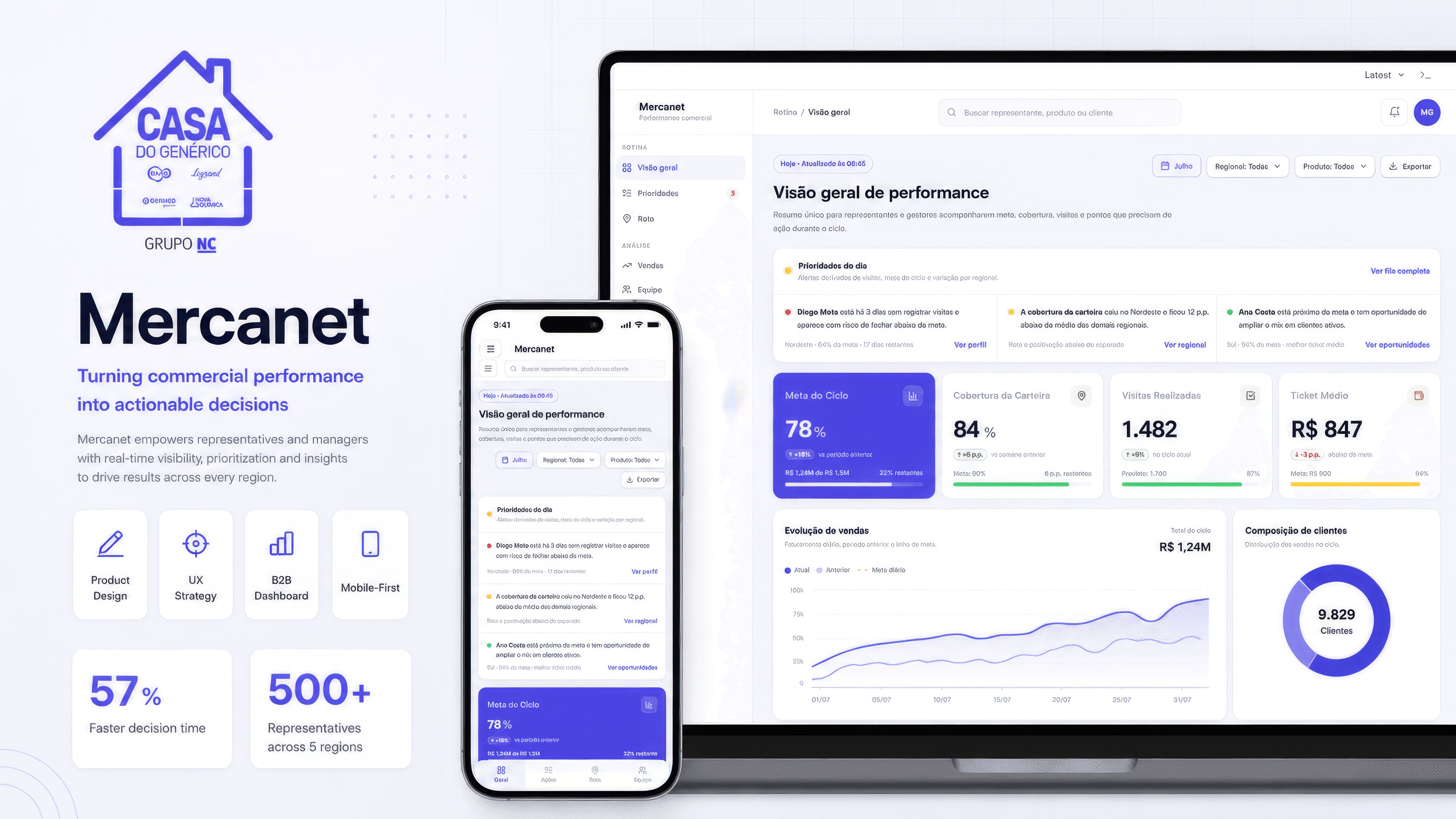
Redesigning Mercanet — the sales performance dashboard for GX, the generics commercial division of Grupo NC. 500+ pharmaceutical representatives across 5 regions. The dashboard had every number; what it lacked was a decision structure.
Role
Product Designer / UX Designer — sole designer on the redesign
Scope
B2B dashboard redesign · responsive (desktop + mobile) · reusable visual patterns
Company
Mercanet / GX · generics commercial division of Grupo NC
Status
Direction validated informally with reps and stakeholders · not yet in production
[01 Context]
A dashboard with every number — and no clear answer to what to do next.
Mercanet was part of GX, the generics commercial division of Grupo NC. The dashboard supported 500+ pharmaceutical sales representatives across 5 regions, tracking sales goals, revenue, coverage, visits, average ticket, SKU performance, mix focus, and regional execution during the sales cycle. The product already had valuable data. The problem was that users had to work too hard to turn that data into decisions. New modules had been added over time, but the experience lacked a clear decision structure. In a field sales context, that friction matters: a delayed decision means a poorly prioritized visit, a missed opportunity, or a risk identified too late.
The dashboard didn't need more data. It needed a better way to answer: how are we performing, where is the deviation, and what should we do next.
[02 The Problem]
A repository of data — not a decision tool.
The interface worked as a data repository. Users had to scan dense tables, compare percentages, remember targets, cross-check numbers, and infer what required action. Five frictions defined the gap.
F.01 · Low scanability
Critical, neutral, and positive indicators carried the same visual weight. Nothing pulled the eye to what mattered.
F.02 · Density without guidance
Regional, District, and Sector tables were stacked vertically — three structurally identical blocks, repeated.
F.03 · Metrics without context
Values appeared isolated from their targets, variations, and coverage — leaving interpretation to the user.
F.04 · Diagnosis disconnected from action
Deviations were visible, but never translated into priorities or a next step.
F.05 · Mobile as a smaller desktop
Same density, same structures, same hierarchy — none of it adapted to field-use conditions.
[03 Discovery]
Reps weren't browsing the dashboard. They were asking it questions.
Sales reps weren't opening Mercanet to explore data. They opened it with specific operational questions: Am I close to my target? Which region is dropping? Who is falling behind? What should I prioritize today? That insight reframed the work — the old dashboard was organized around data; the new experience needed to be organized around decisions.
I.01 · Reps confirmed hypotheses
They didn't browse dashboards. Each visit had an intent — the interface had to match it.
I.02 · Physical context changed density
Small screens, unstable connection, limited attention — desktop-style density was unusable in the field.
I.03 · Isolated metrics weren't enough
Each number needed a comparison: target, previous period, regional average, coverage, or risk. Without it, data carried no meaning.
[04 Design Decisions]
Four decisions that reframed the product around the question.
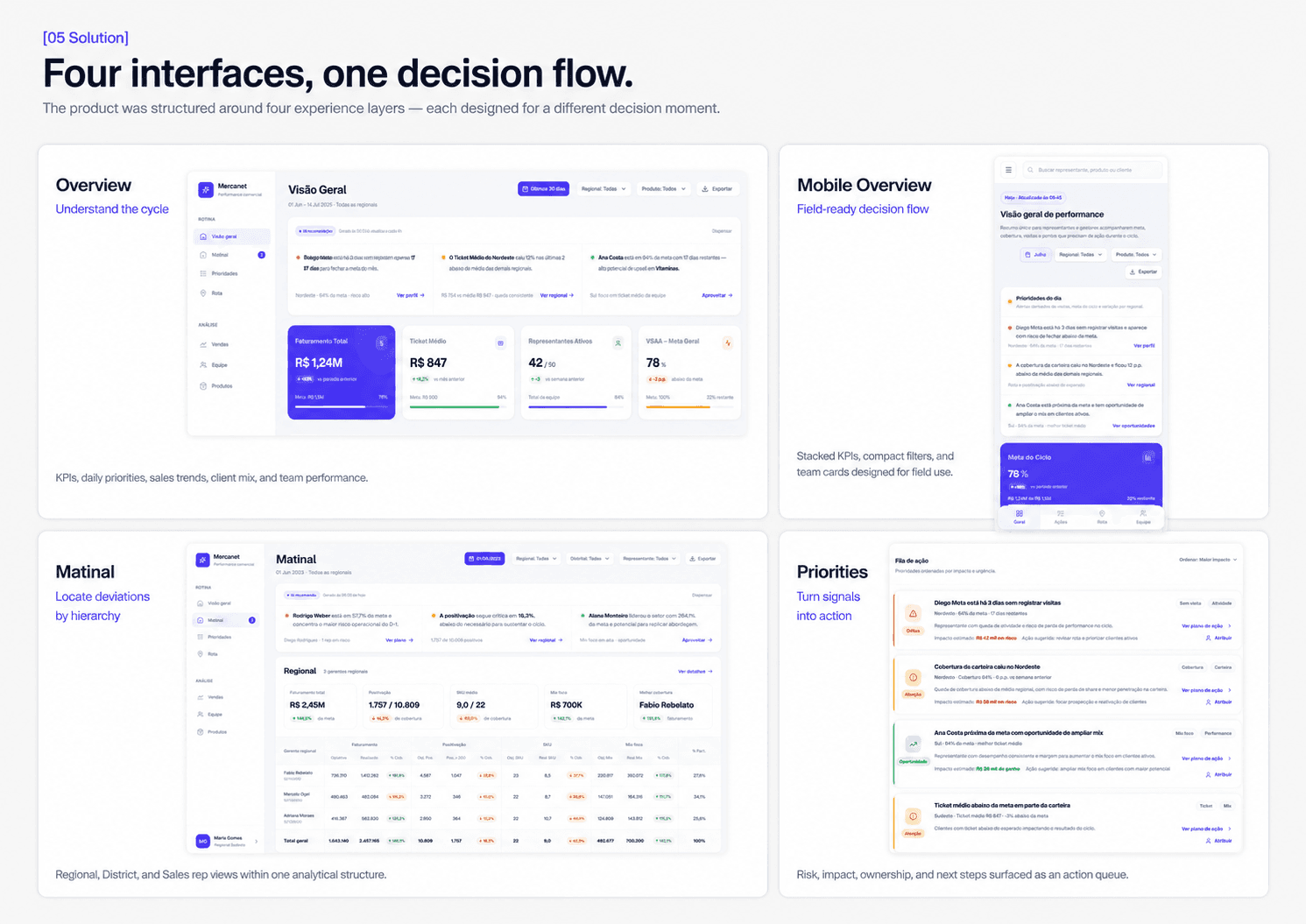
I reframed Mercanet around a decision flow — Overview to understand, Matinal to locate, Priorities to act. Each decision below resolved a tension between showing more data and showing what the user actually needed to act.
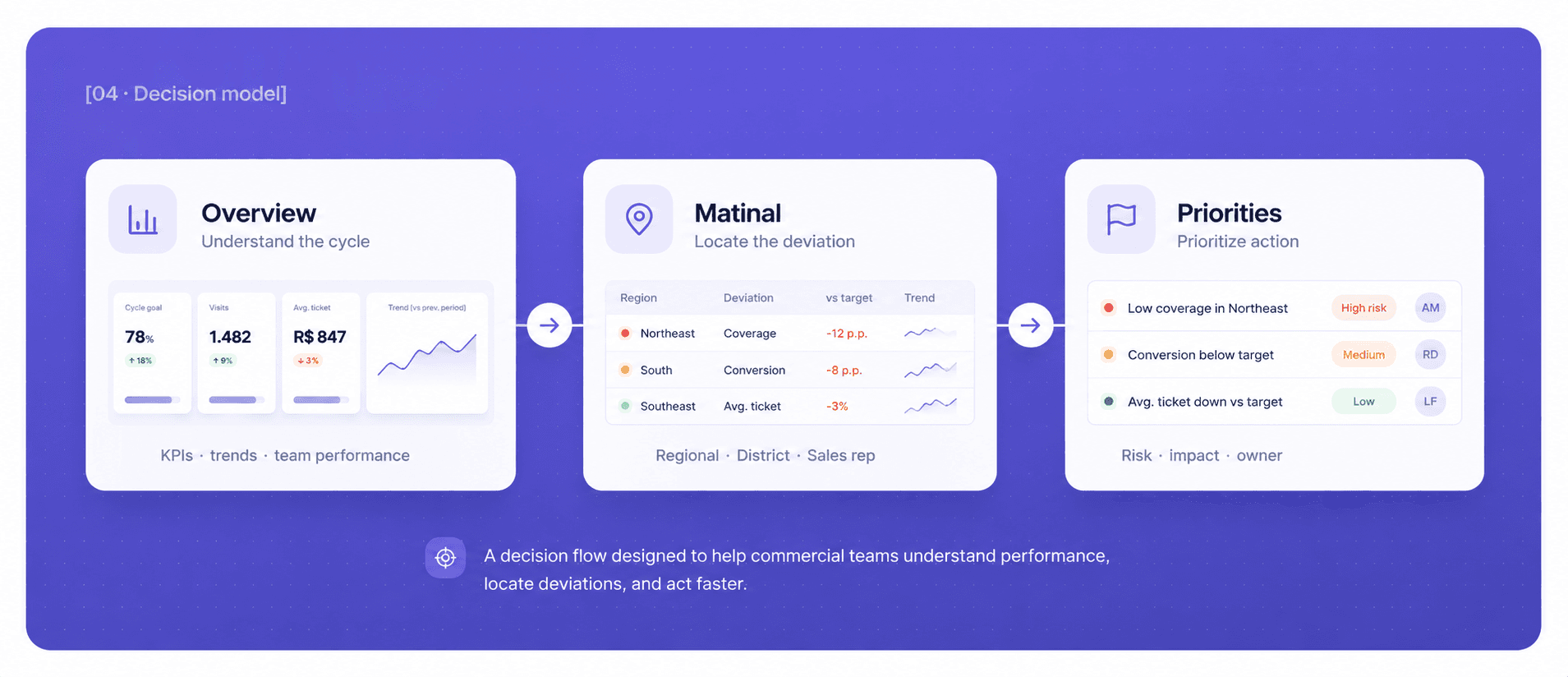
Overview
Role · Understand the cycle
How are we performing right now? — KPIs, trends, client composition, team performance.
Matinal
Role · Locate the deviation
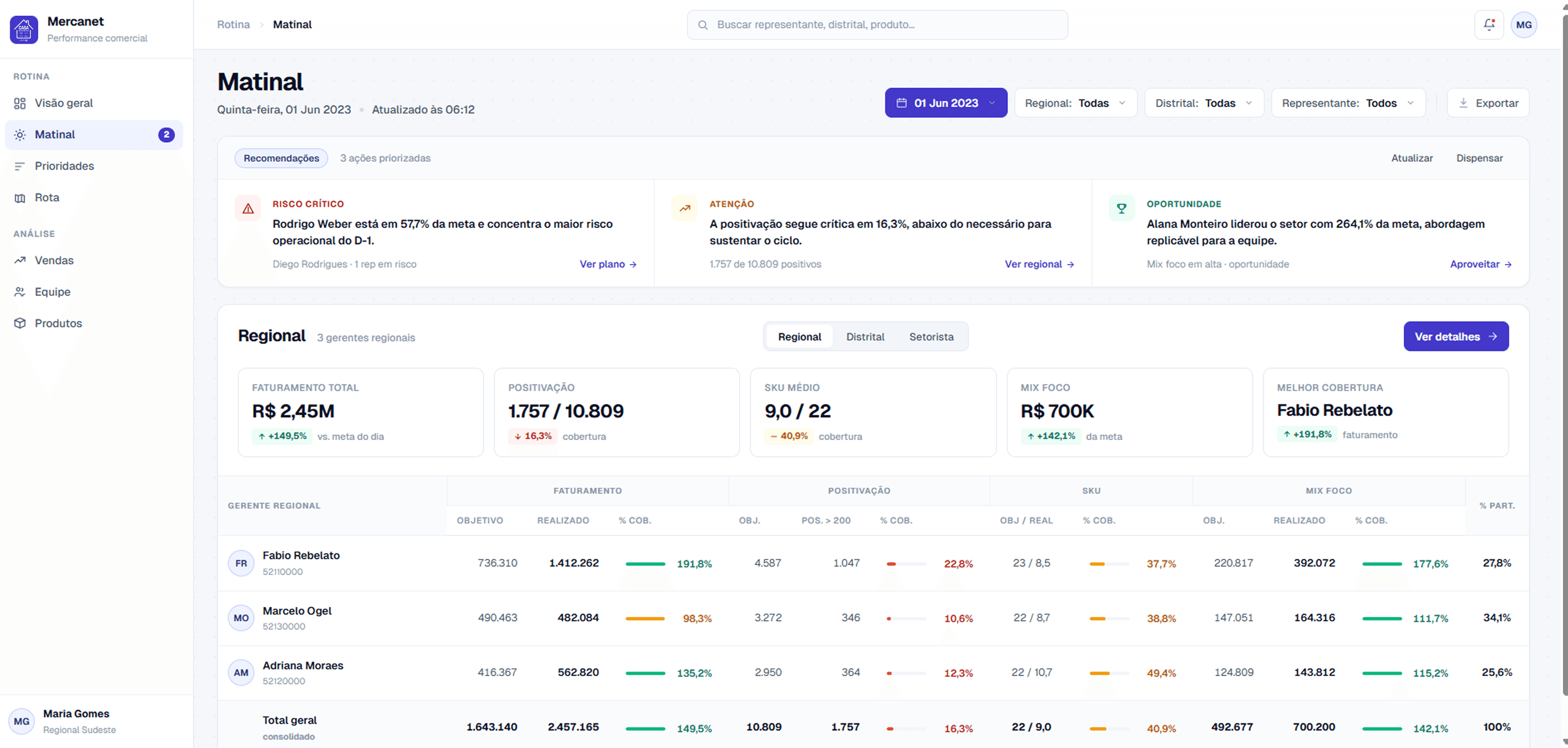
Where is the issue happening? — Regional, District, Sales rep / Sector views.
Priorities
Role · Prioritize action
What should be done first? — Risk, impact, owner, next step.
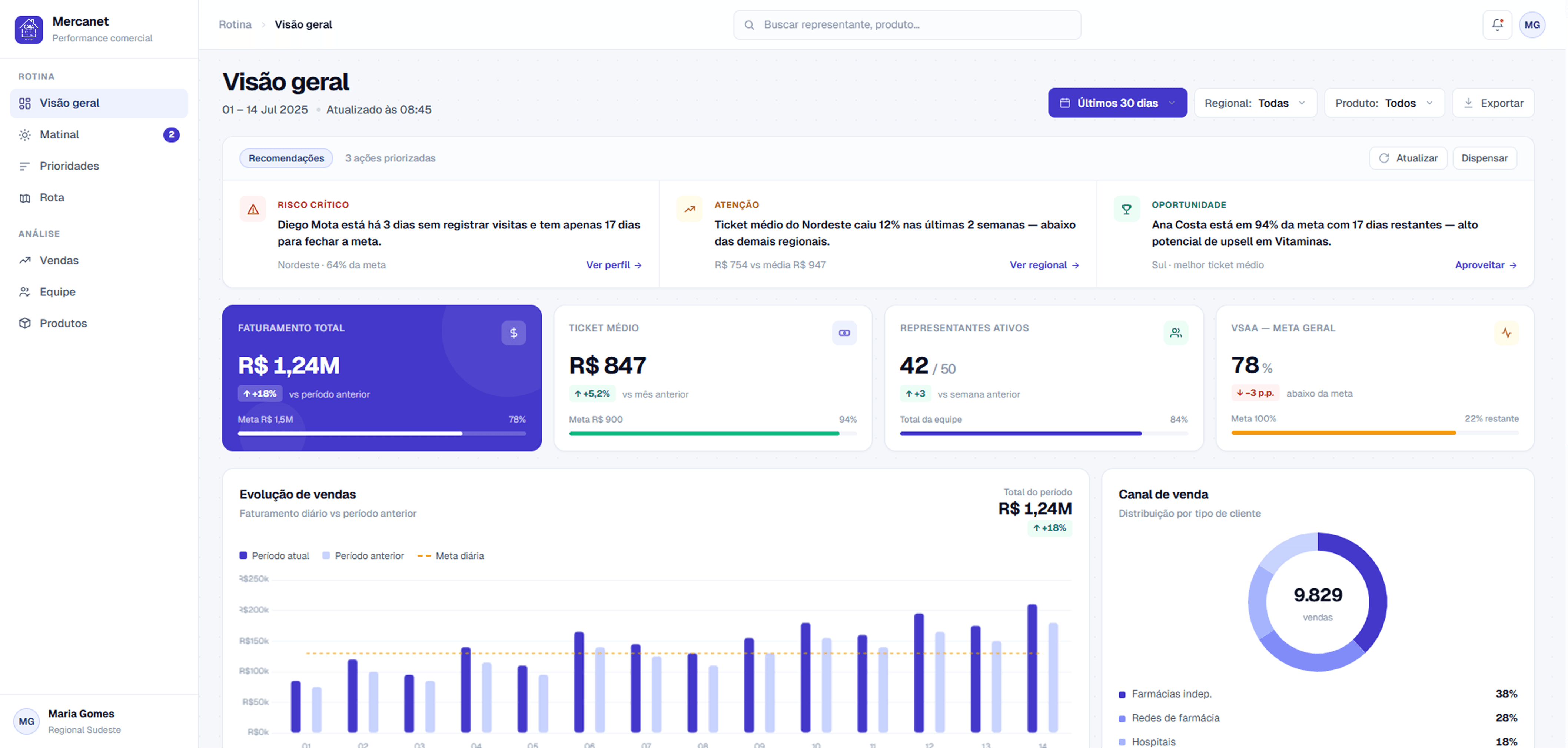
D.01 · Organize by question, not data
Instead of letting the database structure dictate the interface, I reorganized the product around the user's decision path. This changed screen hierarchy, KPI placement, the role of alerts, and introduced a queue of priorities — turning a reporting tool into something operators could actually use.
D.02 · Density where comparison matters
The Matinal screen kept a table-based structure because users genuinely needed to compare multiple indicators across hierarchy levels. The goal was not to remove density. The goal was to control it — surfacing the right level at the right time. Three repeated table blocks (Regional, District, Sector) consolidated into a single analytical block with a view selector. Same depth, less repetition.
D.03 · Lists where action matters
The Priorities screen became a list, not a table. Each priority works as a decision unit: what happened, how critical it is, who owns it, the estimated impact, and the next step. A table would have invited comparison. A list invites action.
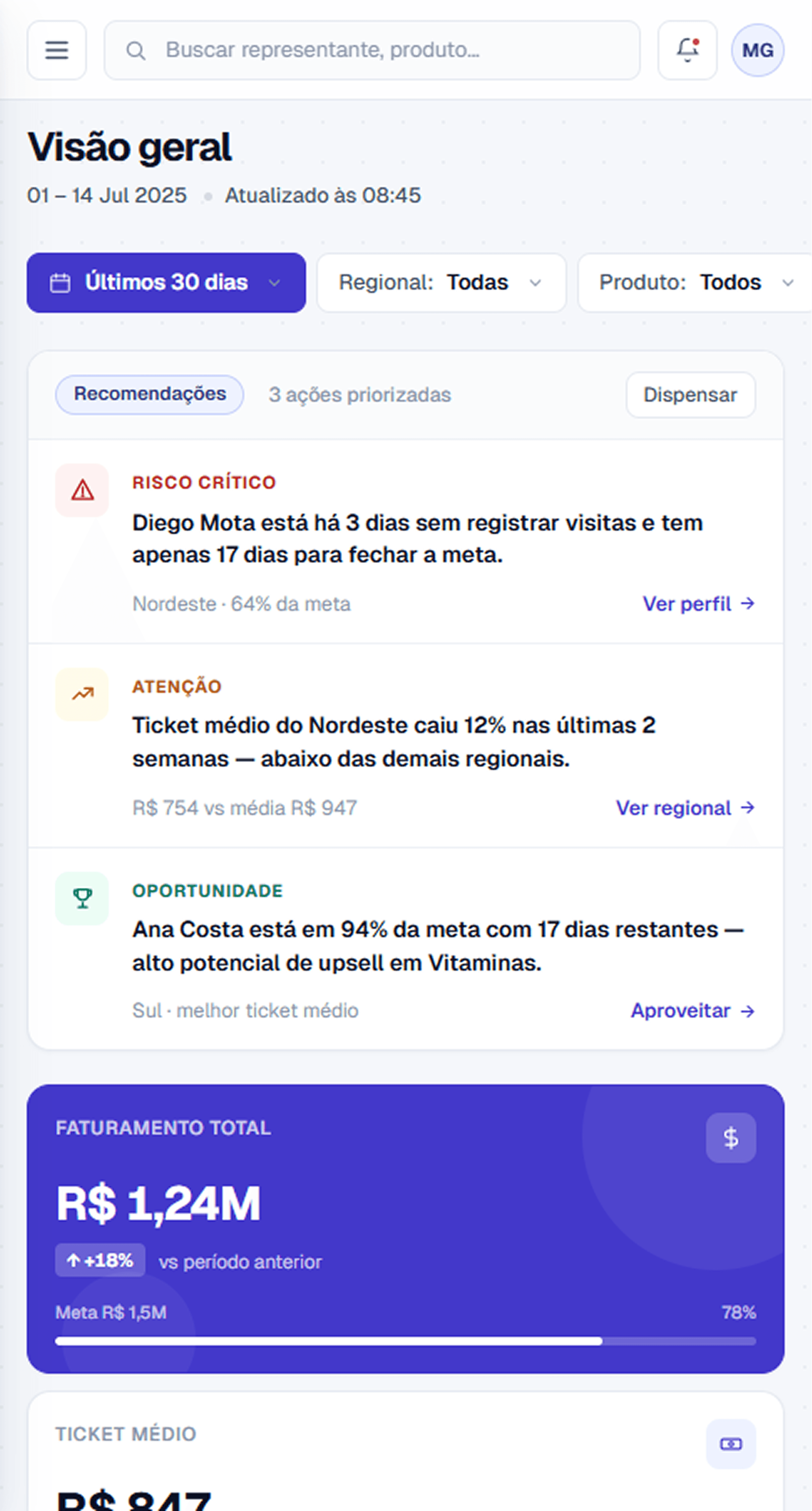
D.04 · Mobile as a different context
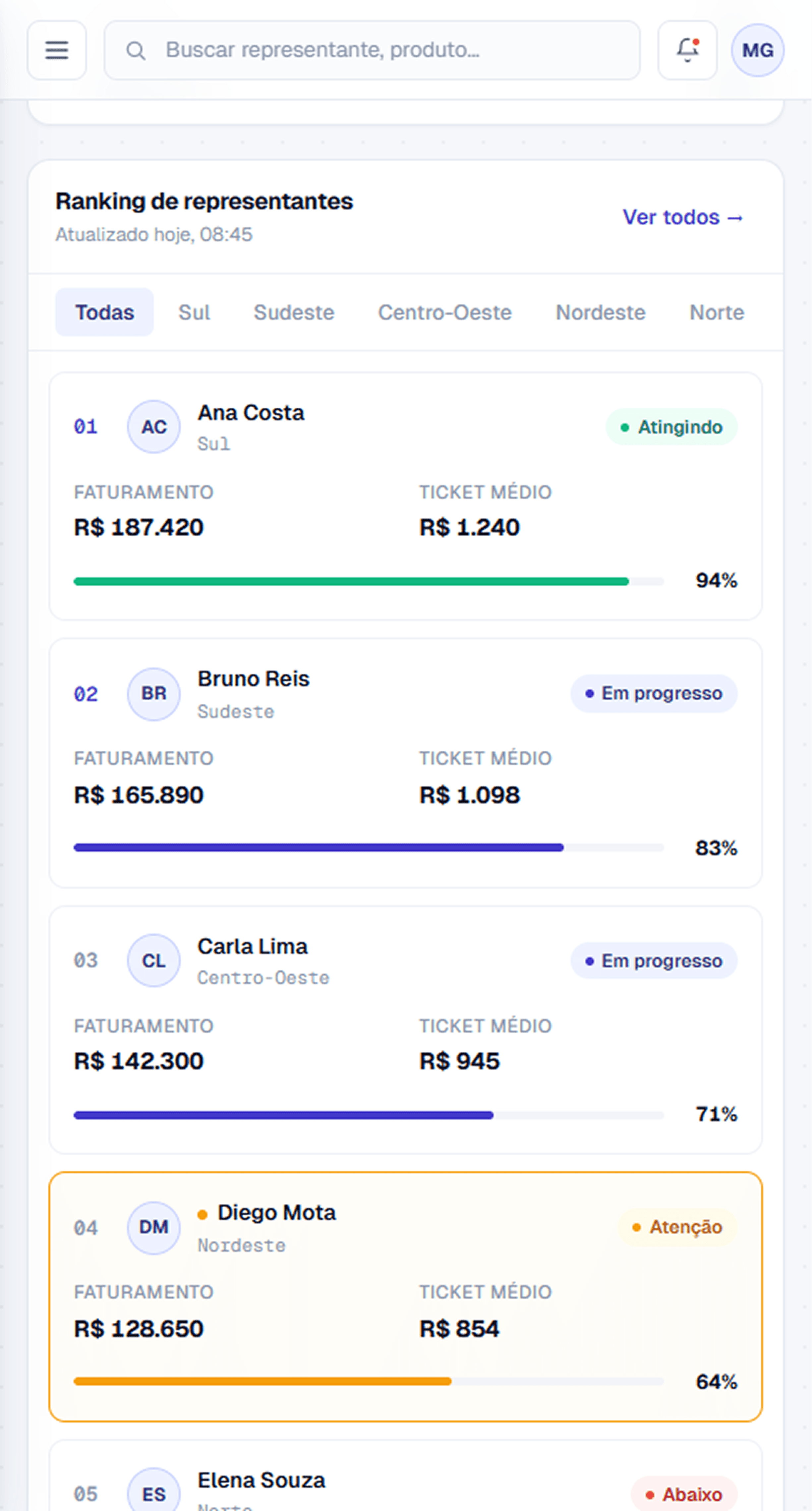
The mobile version was redesigned as a vertical flow for field usage — stacked KPIs, compact filters, bottom navigation, and rep cards instead of tables. Not a compressed desktop. A different product on a different device, designed for thumb-zone interaction in unstable connectivity.
[05 Outcomes]
From a dashboard you read to an interface that guides the next decision.
I validated the direction informally with a handful of reps and stakeholders, walking them through the new flow against the old dashboard. The goal was to confirm one hypothesis: that organizing the product around decisions — rather than around data — matched how they actually used it. It did. The point I want to be honest about is that this was directional validation, not a controlled study.
Faster
Reps reached a clear next step noticeably faster in informal walkthroughs — going from reading numbers to acting on them. Directional, not formally measured.
500+
Pharmaceutical sales representatives across 5 regions — the production user base the redesigned experience was designed to serve.
Honest note
I want to be straight about scope: this was informal, directional validation with a small group — not a controlled usability study, and not production data. I left the company before rollout, so adoption metrics stayed under company ownership and aren't mine to claim. The strength of this case is the design reasoning, not a number.
The biggest shift wasn't visual. It was moving from a dashboard that required manual interpretation to an interface that guided the next decision.
[06 Reflection]
What I'd build on — and what I'd defend.
R.01 · Would build
Post-launch instrumentation. Track adoption, most-used filters, triggered actions, repeated time-to-decision, and abandonment points. Without instrumentation, every design decision lives or dies on assumption.
R.02 · Would build
Assisted prioritization. Evolve the Priorities screen to recommend actions based on impact, urgency, historical performance, and regional context — moving from a list of risks to a ranked playbook.
R.03 · Would build
Role-based density. Adapt views for sales representatives, district managers, regional managers, and commercial leadership — each role surfaces a different level of detail without forcing the same screen on everyone.
R.04 · Would defend
The decision-flow architecture. Overview → Matinal → Priorities is a load-bearing structure, not a navigation pattern. It's why the page works. The pressure will always be to add a sixth tab. The discipline is to refuse it.